
I was lucky enough to be chosen to do a review for Snapfish, which came at a perfect time since I just bought a new camera and have been snap happy all spring! We recently visited my sister’s family out of province and the three kids had a blast! I wanted these memories to last a lifetime, so I made a photobook!

I order the 8”x11” Premier Lay-Flat photo book, which is great for panoramic shots or spreads. The process is super simple;
1) Upload photos.
2) Select book size and cover type.
3) Choose a theme. There are hundreds to choose from including pets, weddings, babies, beach, studio, etc. I chose all black because I’m just that kind of girl.
4) Insert photos into book. I used the auto-fill option which is brilliant! Then I went through and moved some pictures around to create a theme on each spread.
Lots of our vacation pictures were taken from an iPhone so I got a warning they were low resolution, but making the pictures smaller took care of that.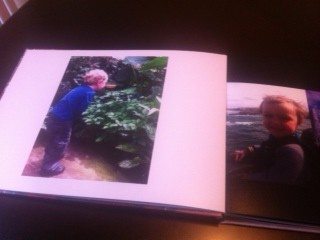
What I LOVED about making the photo book was that as you moved or resized images, lines would appear on the screen as a guide to show you when your photo was centered or images were the same size.
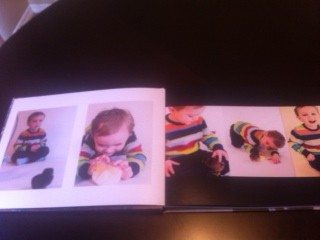
Make sure to save your work when the pop-up asks you! I didn’t save throughout my first attempt and had to upload my photos a second time which was time consuming to sort through.
5) Order and wait for your beautiful and professionally finished photo book to arrive!
I am so impressed with how the book turned out! And since everything is saved in my account I can go back and order a second book for my sister’s family to cherish.
Now is a great time to order too – BOGO FREE on 12”x 12” photo books through July 13! What a great deal! And as a special gift to our readers, use www.snapfish.ca/mcprintsca to get 25 4”x 6” prints free until 11/30/2014.
Join us on Instagram for the latest Mommy Connections news, promos and updates.
WE ARE HONOURED TO BE TRUSTED BY:



Copyright 2026 Mommy Connections. All Rights Reserved.

Leave a Reply